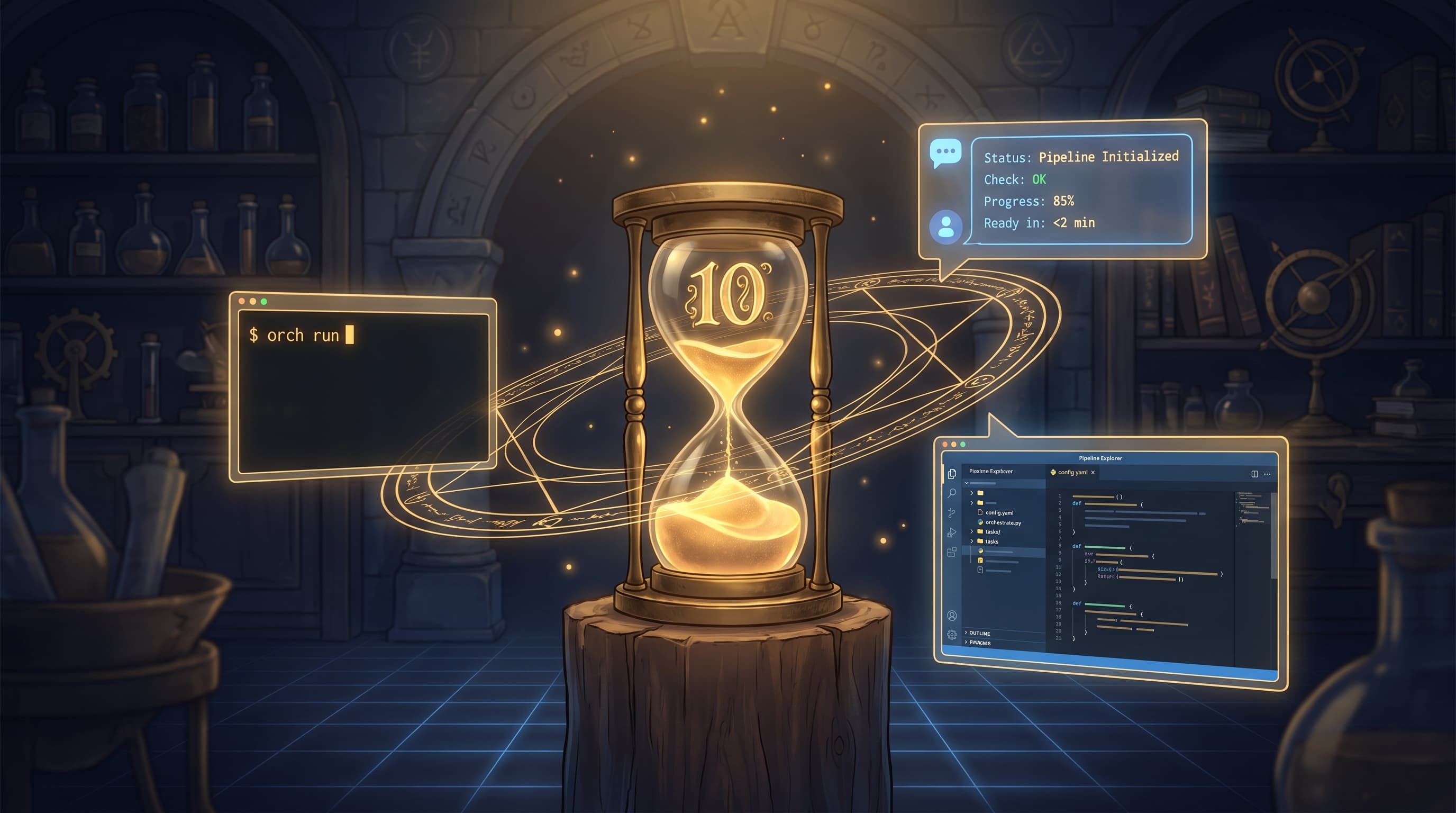
Getting Orchemist Running in 10 Minutes — And Why You'll Talk to It Instead of Typing Commands
By Conny Lazo
Builder of AI orchestras. Project Manager. Shipping things with agents.
Every tool worth using has a moment where you stop reading about it and start typing. This is that moment.
If you've followed the first three articles in this series, you know why Orchemist exists — AI pipelines that grade their own output before it reaches anyone who matters. You know what the trust pattern looks like, and you know the spec discipline that anchors it. Now the question is simpler and more urgent: how do I actually use this thing?
(If you're asking why not LangChain, AutoGen, or CrewAI — Article 2 covered that. This is the how article.)
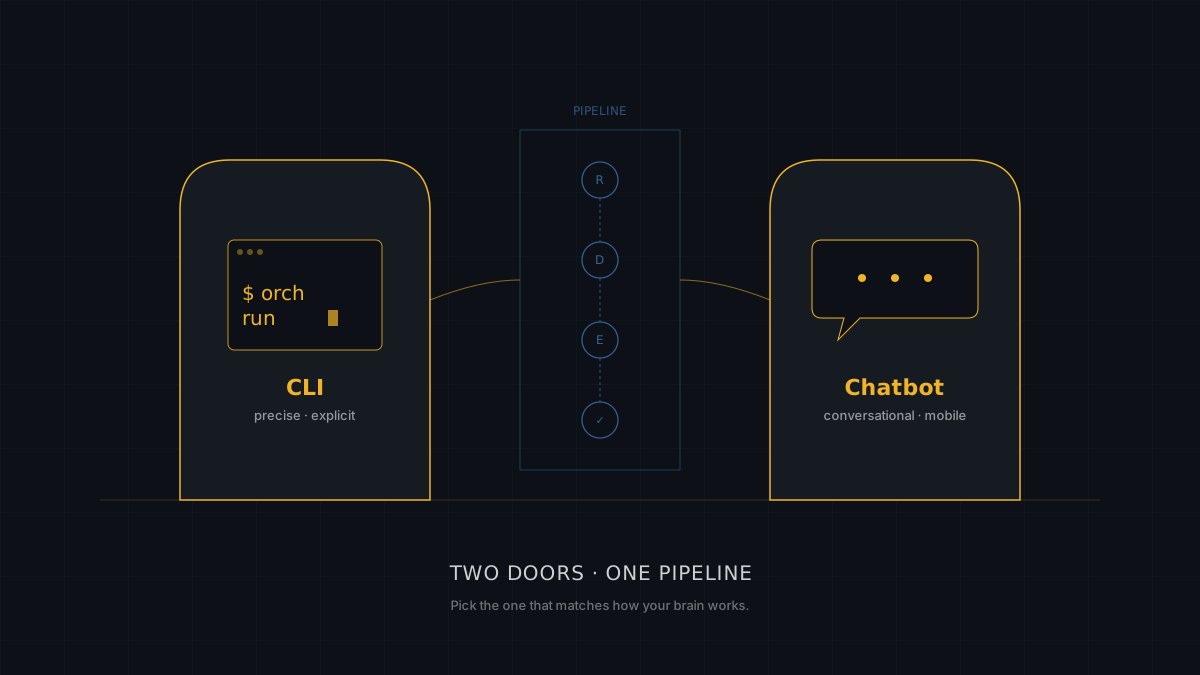
The answer comes in two flavors. Pick the one that matches how your brain works.
The Two Ways In
There are two doors into Orchemist. The first is a terminal window. The second is a chat bubble on Telegram, Discord, or whichever messaging app you already have open fourteen hours a day.
The CLI is for people who think in commands — developers building pipeline templates, debugging phase failures, running dry tests before anything touches an API key. It's precise. You know exactly what's happening because you typed every word.
The chatbot — powered by OpenClaw — is for people who think in conversations. "Run the content pipeline on this topic." "What score did it get?" "Retry it." No flags, no environment variables, no remembering whether it's orch run or orch launch (more on that distinction shortly — it matters more than it should).
Here's the thing most people discover after a week: you use both. The CLI for building and debugging. The chatbot for daily operations. They're not competing interfaces. They're different roles in the same workflow. A developer scaffolding a new pipeline template lives in the terminal. An operator kicking off the morning batch lives in Telegram. Sometimes that developer and that operator are the same person at different times of day.
Neither door is wrong. But you should know what's behind each one.
The CLI — Your Workshop
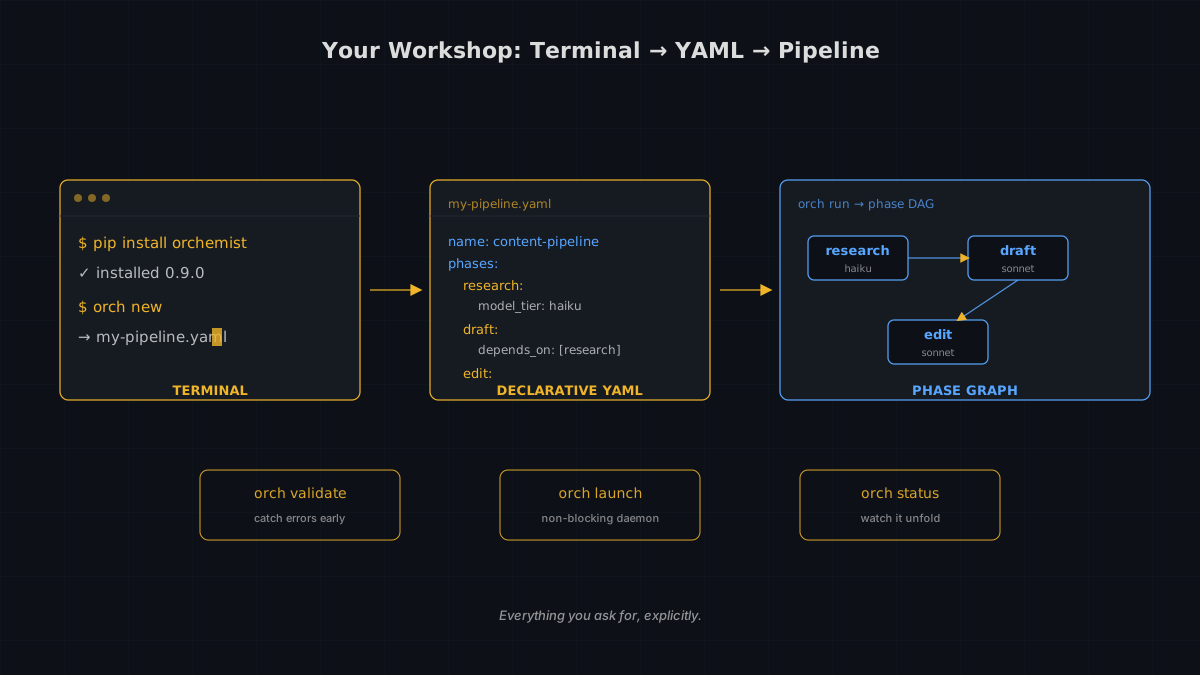
Everything starts here, even if you eventually run pipelines from your phone. Three commands get you from zero to a working pipeline template:
pip install orchemist
orch --help
orch new
That last command — orch new — is where the real work begins. Run it without flags for an interactive wizard-style walkthrough — phases, model tiers, dependencies, one question at a time. If you'd rather skip the conversation:
orch new --yes --output templates/my-pipeline.yaml
You get a YAML file. Not a Python script. Not a JSON blob that requires a PhD in bracket-counting. YAML — version-controlled, diff-friendly, readable by humans who haven't had coffee yet (README.md, Orchemist CLI Reference, 2026).
If you've written a GitHub Actions workflow, this will feel familiar. Same idea — declarative, version-controlled, readable. Here's what a minimal pipeline looks like:
name: content-pipeline
phases:
  research:
    prompt: "Research the topic: {{brief}}"
    model_tier: haiku

  draft:
    prompt: "Write an article based on: {{research.output}}"
    model_tier: sonnet
    depends_on: [research]

  edit:
    prompt: "Polish this draft: {{draft.output}}"
    model_tier: sonnet
    depends_on: [draft]
Three phases. Dependency graph handled automatically — parallel phases run together, dependent ones wait their turn (README.md, Features section, 2026). Model tier selection per phase means your research runs on Haiku (fast, cheap) while your editing runs on Sonnet (slower, smarter). You're not paying Opus prices to generate a keyword list.
Now, the gotcha. There are two ways to run a pipeline, and one of them will quietly ruin your afternoon.
orch run is blocking. It runs in the foreground, holds your terminal hostage, and — if you're running in OpenClaw mode — gets killed by the system after roughly ten minutes. It's fine for dry runs and standalone tests. It is not fine for real work.
orch launch is the one you want. It starts a background daemon, returns in under three seconds, and lets you check progress whenever you feel like it (TOOLS.md, Operational Notes, 2026). The difference:
# Safe: dry run, no API key needed
orch run templates/my-pipeline.yaml --mode dry-run

# Dangerous: blocks, gets SIGKILL'd after ~10 min
orch run templates/my-pipeline.yaml --mode openclaw

# Correct: returns in <3 seconds, daemon handles the rest
orch launch templates/my-pipeline.yaml --mode openclaw \
  --input-file input.json --output-dir /tmp/output
The names are almost identical. The behavior is not. I wish I'd put this on page one. Consider this page one.
Once your pipeline is running, the monitoring toolkit keeps you informed without requiring you to stare at a terminal:
orch status <run-id>          # Current state of each phase
orch watch <run-id> --follow  # Real-time log tail
orch logs <run-id>            # Full history
orch health                   # System-wide check
orch watch was added in Sprint 3 — and during its own code review, Opus caught a missing decorator that would have silently dropped the orch workers command entirely (LOGBOOK.md, Chapter 6, Sprint 3, 2026). The feature that watches your pipelines was saved by the review system that watches your code. Turtles all the way down, but reassuring ones.
Before running anything, you can validate your template:
orch validate templates/my-pipeline.yaml
orch validate templates/my-pipeline.yaml --fix  # auto-correct simple issues
The CLI is precise, explicit, and completely transparent. Everything that happens, you asked for. Everything that fails, you can read about in the logs. There's a comfort in that.
But there's also a chat window that does most of this without you remembering a single flag.
The OpenClaw Integration — Talk to Your Pipelines
Here's the pattern that changes how this works in practice. I call it the conductor pattern, and it has three layers (LOGBOOK.md, Recurring Themes, 2026):
- The human directs — in natural language, from wherever they happen to be
- The AI orchestrator interprets the instruction, assembles the right command, monitors execution
- The pipeline runs the phases, produces output, returns a score
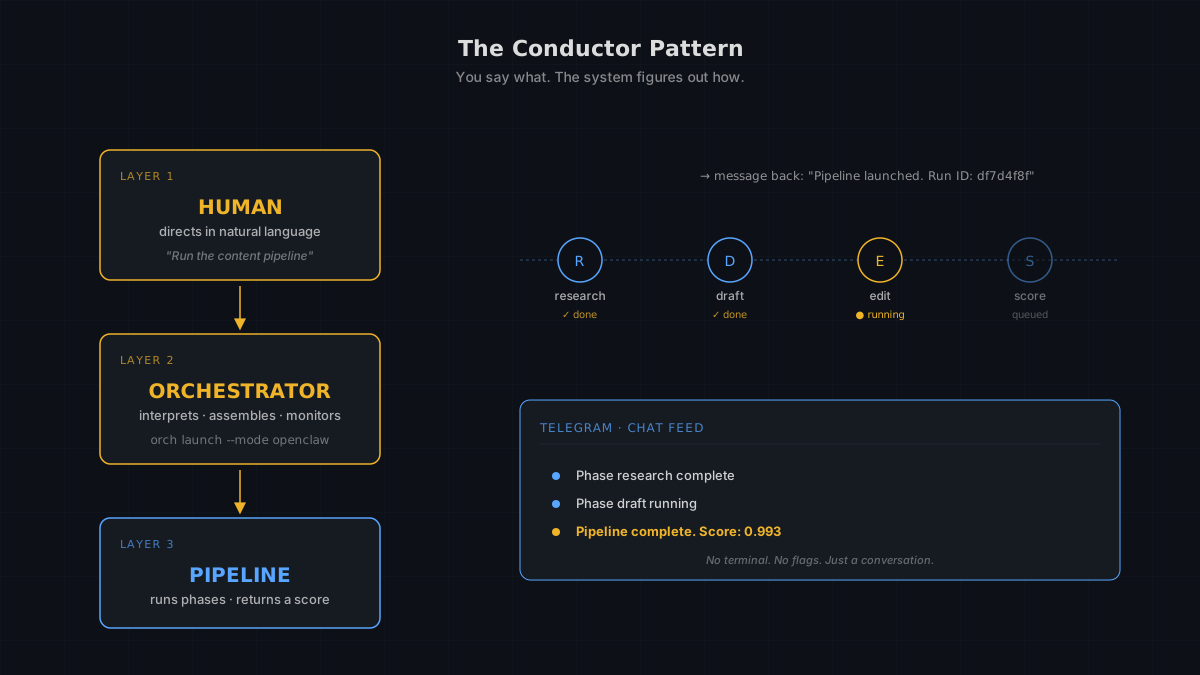
An orchestra conductor doesn't play any instruments. They don't need to. They know the score, they know when the oboe comes in, and they notice immediately when the violins are off-tempo. That's your role. You say what needs to happen. The system figures out how.
In practice, it looks like this. I send a message in Telegram: "Run the content pipeline on article 3 of the Orchemist series." My AI assistant — which runs on OpenClaw — translates that into the correct orch launch command with the right input JSON, authentication token, and output directory. The pipeline starts. I get a message back: "Pipeline launched. Run ID: df7d4f8f" (Daemon Log, run_id: df7d4f8f, 2026-03-08).
Then, without me asking, status updates arrive in chat. "Phase research complete." "Phase draft running." And finally: "Pipeline complete. Score: 0.993."
I didn't open a terminal. I didn't remember any flags. I asked a question in the same app where I argue about dinner plans, and got a graded pipeline result back.
The entire Orchemist project started with a test voice message on Telegram — February 5th, 2026. Session number one (LOGBOOK.md, Prologue, 2026). By session twelve, we weren't chatting anymore. We were building. Voice messages still work. You can literally talk to your pipeline from the back of a taxi.
Here's a detail that earns its own paragraph because it's too perfect. While this article was being written, the content pipeline producing it launched at 13:34:04 on March 8, 2026. A sub-agent was spawned for the research phase. Then another for the draft. The article about using a chatbot to run pipelines was itself running through the pipeline, orchestrated by the chatbot (Daemon Log, run_id: df7d4f8f, 2026-03-08). We are inside the thing we are describing. The snake eating its own tail — but productively.
One more operational note that doubles as a cautionary tale: OpenClaw updated from version 2026.2.6 to 2026.3.2 in early March. The fix? The AI gateway that monitors your pipelines was itself silently failing because its Telegram messages were too long (LOGBOOK.md, Chapter 6, 2026). The status updates that tell you everything is fine were never arriving. The fix was message chunking — breaking long messages into pieces at or under 1,500 characters. Even the tool that enforces quality gates needs a quality gate sometimes.
The conductor pattern works because it separates three concerns that most AI tools mash together: intent (what you want), execution (how it happens), and judgment (whether it worked). You handle the first and the last. The system handles the middle. That's not automation replacing humans. That's automation respecting what humans are actually good at.
Can We Fully Rely on the Chatbot? The Honest Answer
No.
Not entirely. Not yet. And if I told you otherwise, I'd be doing exactly the kind of unchecked-output-shipping that Orchemist was built to prevent. So here's the honest inventory.
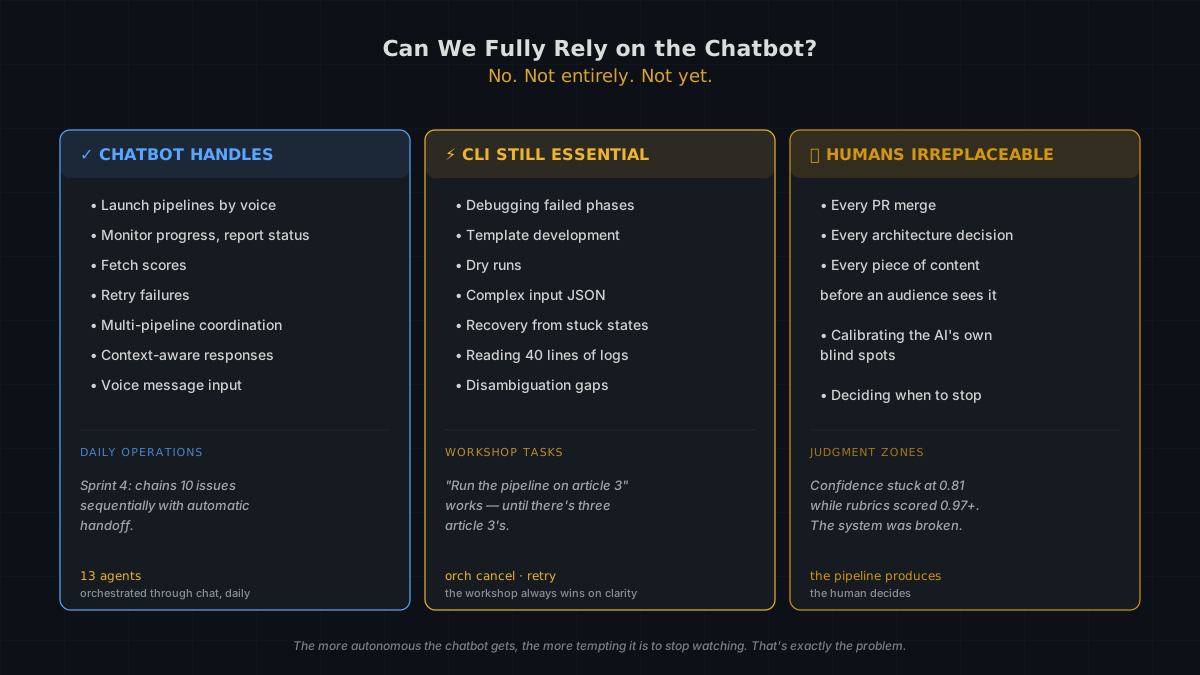
What the chatbot handles end-to-end today: Launching pipelines from natural language. Monitoring progress and reporting status. Fetching scores. Retrying failures. Multi-pipeline coordination — Sprint 4 chains ten issues sequentially with automatic handoff (LOGBOOK.md, Chapter 7, 2026). Context-aware responses. Voice message input on Telegram. These work. They work daily. I run 13 AI agents through this system every day, and the chatbot orchestrates the traffic.
Where the CLI is still essential: Debugging. When a pipeline fails at phase three and you need to read forty lines of log output, you don't want that in a chat bubble. Template development — writing and validating new YAML files is a text editor and terminal job. Dry runs. Complex input JSON with nested fields. Recovery from stuck states: orch cancel, orch retry. These are workshop tasks. The chatbot is the showroom (LOGBOOK.md, Sprint 3; TOOLS.md, Operational Notes, 2026).
One thing the chatbot can't always do: disambiguate. "Run the pipeline on article 3" works perfectly when there's only one article 3. When there isn't — when you've got drafts, revisions, and branches — add a dry run first or be explicit about the template path. Ambiguity is the chatbot's blind spot. Clarity is yours to provide.
Where humans are irreplaceable: Every PR merge. Every architecture decision. Every piece of content before it reaches an audience. The pipeline produces; the human decides (AGENTS.md, Workflow Rules, 2026). Sprint 4 exposed this beautifully: the composite confidence score got stuck at 0.81, routing everything to human review even when rubric scores were 0.97+. The system wasn't being cautious. It was broken (LOGBOOK.md, Chapter 7, 2026). An AI built to reduce unnecessary human review was creating more unnecessary human review. Diagnosing that required a human who could see the whole picture — including the AI's blindspots.
The more capable the chatbot gets at autonomous operation, the more tempting it is to stop watching. That temptation is exactly the problem quality gates exist to solve.
A Third Door Is Coming: The IDE
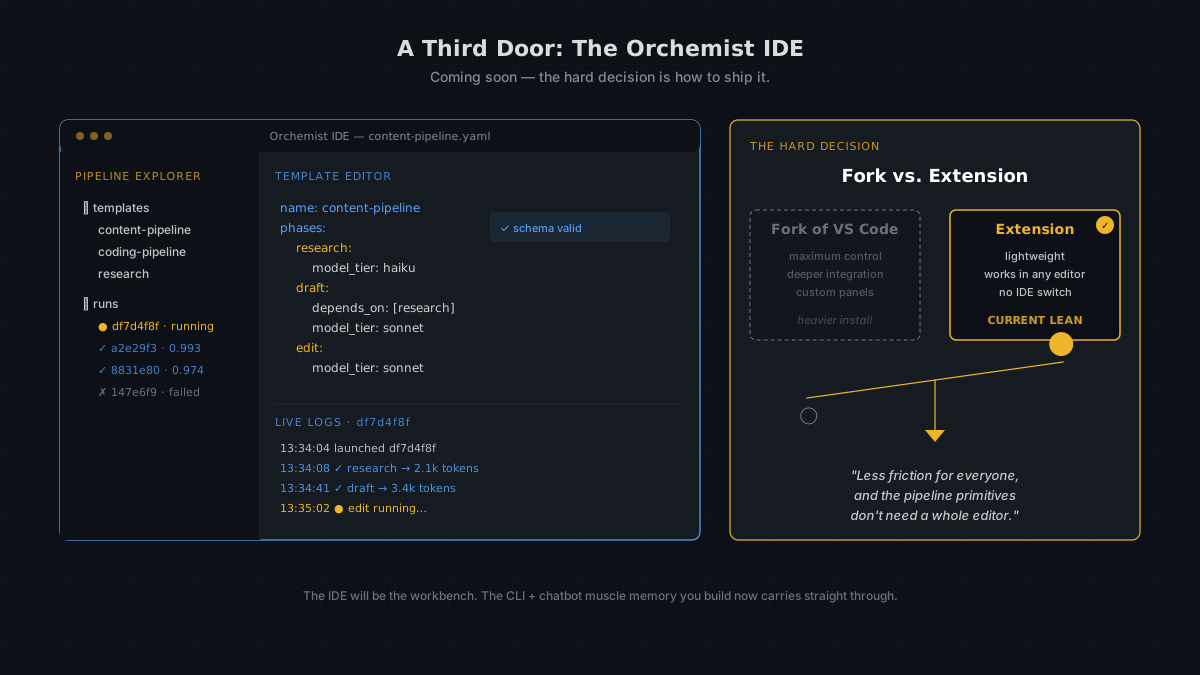
Two doors today. A third one is being cut — the Orchemist IDE, a pipeline-native editing experience that lives where most developers already spend their day. Pipeline Explorer in the sidebar, live log streaming next to the code, a template editor that validates as you type.
It's not public yet, because we're still answering the hard question: fork of VS Code, or extension? A fork gives us maximum control over the pipeline surface — deeper integration, custom panels, tighter UX. An extension is lightweight, works in any VS Code-compatible editor, and doesn't ask users to switch IDEs. The current lean is the extension. Less friction for everyone, and the pipeline primitives don't need a whole editor to shine.
Until it ships, the CLI is your workshop and the chatbot is your conductor's podium. The IDE will be the workbench — ambient, visual, always on. When you're ready to install it, the 10 minutes of muscle memory you're building now carry straight through.
Quick Start — From Zero to First Pipeline
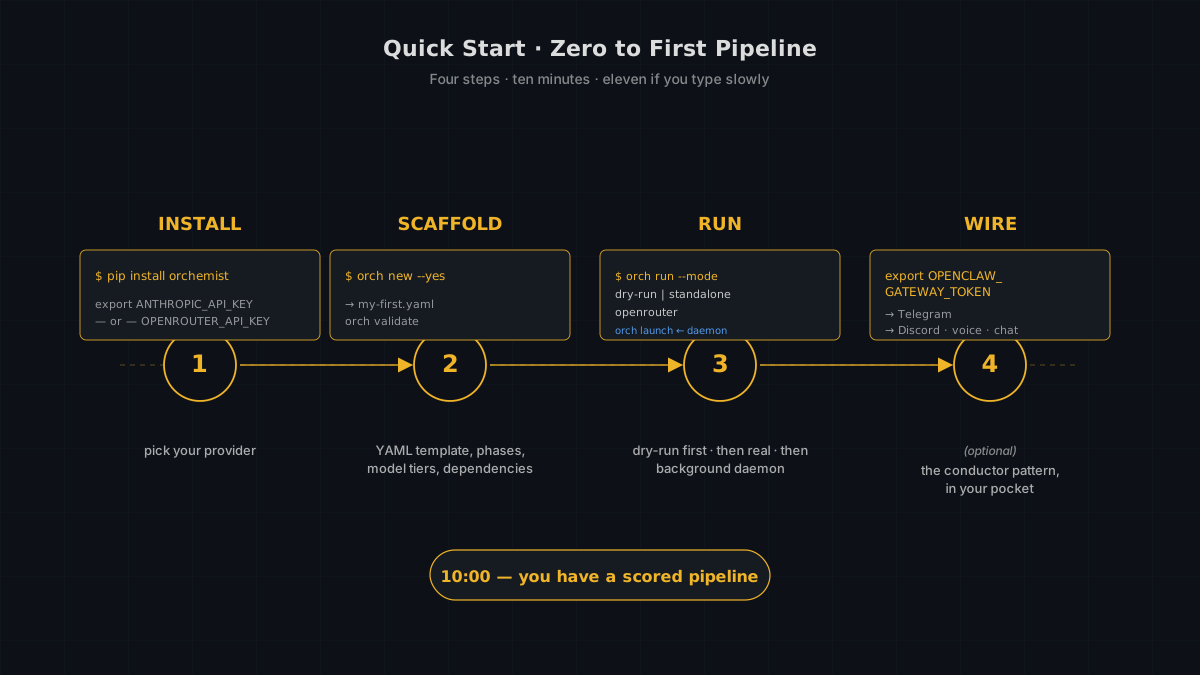
Four steps. Ten minutes. Possibly eleven if you type slowly.
Step 1: Install
pip install orchemist
orch --help
No API key needed for dry runs. For live runs, pick a provider. Bring Anthropic directly:
export ANTHROPIC_API_KEY="sk-ant-..."
Or route through OpenRouter — one key, dozens of models (Anthropic, OpenAI, Google, Mistral, local Ollama, and more):
export OPENROUTER_API_KEY="sk-or-v1-..."
OpenRouter mode went end-to-end for the first time on 2026-04-17. If you want to A/B a pipeline across Claude, GPT, and Gemini without rewriting a line of YAML, this is how.
Step 2: Scaffold
orch new --yes --output templates/my-first-pipeline.yaml
Or run orch new for the interactive walkthrough. Either way, you get a YAML pipeline template with phases, model tiers, and dependency declarations. Verify the structure:
orch validate templates/my-first-pipeline.yaml
orch list-phases templates/my-first-pipeline.yaml
Step 3: Run It
Start with a dry run — no API key needed, no cost, proves the pipeline structure is valid:
orch run templates/my-first-pipeline.yaml --mode dry-run \
  --input '{"brief": "test topic"}'
When that works, run it for real. Pick the mode that matches the key you exported:
# Direct Anthropic — simplest, zero framework deps
orch run templates/my-first-pipeline.yaml --mode standalone \
  --input '{"brief": "AI safety trends"}'

# OpenRouter — swap models per phase or per provider without editing YAML
orch run templates/my-first-pipeline.yaml --mode openrouter \
  --input '{"brief": "AI safety trends"}'
⚠️ The gotcha, one more time: When you're ready for OpenClaw mode (production sub-agent spawning), use orch launch — not orch run. It doesn't block, doesn't get killed, and returns in seconds:
orch launch templates/my-first-pipeline.yaml --mode openclaw \
  --input-file input.json --output-dir /tmp/output
Check progress with orch status <run-id> (README.md, CLI Reference, 2026; TOOLS.md, Operational Notes, 2026).
Step 4: Wire to OpenClaw (Optional)
If you want the chatbot interface, set your gateway credentials:
export OPENCLAW_GATEWAY_URL=http://localhost:18789
export OPENCLAW_GATEWAY_TOKEN="your-token-here"
Pro tip: read the token fresh from your config file rather than relying on environment variables — they go stale (TOOLS.md, Operational Notes, 2026):
REAL_TOKEN=$(python3 -c "import json; \
  print(json.load(open('~/.openclaw/openclaw.json'))['gateway']['auth']['token'])")
Once wired, you can launch pipelines from Telegram or Discord. "Run the pipeline on this topic." "What's the status?" "Show me the score." The conductor pattern, in your pocket.
What 10 Minutes Gets You
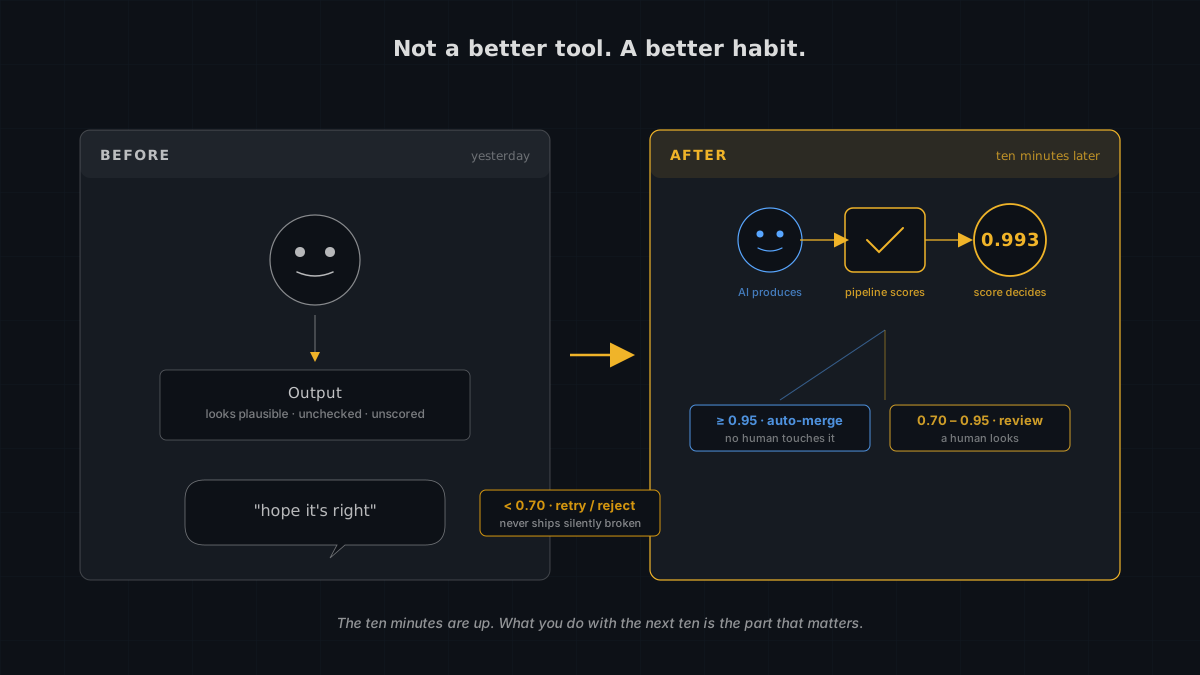
In ten minutes, you have a scaffolded pipeline template, a successful run (even if just a dry run), and — if you ran it live — a score. A number that tells you whether the output met your acceptance criteria before anyone else saw it.
That's not a tool you installed. That's a workflow you changed.
Article 1 in this series explained why — because unchecked AI output ships confidently wrong content. Article 2 explained what — a universal trust pattern that grades before it ships. Article 3 explained the spec discipline — behavior-driven specs as the only trust anchor when no human wrote the code. This article showed you how — three commands to scaffold, one command to run, and a chat window to operate it daily. Article 5 will cover what's next.
But the thing worth remembering isn't the commands. It's the shift. You went from "the AI did the work and I hope it's right" to "the AI did the work, the pipeline checked it, and the score tells me whether to trust it." That's not a better tool. That's a better habit.
The ten minutes are up. What you do with the next ten is the part that matters.
Sources
First-party project documentation from the Orchemist repository (public, MIT licensed):
- README.md — CLI Reference. Official technical documentation for the orchestration engine.
- LOGBOOK.md — The Orchemist Chronicles (Conny Lazo & Toscan, 2026-03-07). First-party operational account of the build process, covering Sprints 1–4.
- TOOLS.md — Operational Notes (Toscan, 2026). CLI behavior, gotchas, and gateway configuration.
- AGENTS.md — Workflow Rules (Conny Lazo, 2026). Governance rules defining human oversight and merge approval processes.
- Daemon Log — Orchemist pipeline run_id
df7d4f8f, 2026-03-08. Execution log showing real-time pipeline launch and phase sequencing.
More from “Orchemist Launch Series”
I Published AI Content Without Challenging It. Then I Built a System That Won't Let Me Do It Again.
I knew about AI hallucinations. I just didn't challenge my own output. The trust problem nobody in AI is solving — and why more agents just means more chaos. Part 1 of the Orchemist Launch Series.
Orchemist Doesn't Just Write Code — It's a Trust Factory for Anything AI Touches
A universal pipeline engine that works for code, content, slides, research, and anything else where 'good enough' isn't good enough. Part 2 of the Orchemist Launch Series.
When AI Writes the Code, Who Checks the Homework? Behavior-Driven Development for the Agent Era
BDD sat on the shelf for twenty years. Then AI started writing production code, and we realized: if no human wrote it, the only thing between you and shipping 'return true' to production is a behavioral spec. Part 3 of the Orchemist Launch Series.
From Factory to Dark Factory: The Orchemist Roadmap (And Why V1 Will Build V2)
Five levels of autonomy, a Go rewrite generated by its own predecessor, and the goal of making yourself unnecessary. Part 5 of the Orchemist Launch Series.